Extract structured data from any document
Transkribus Field Models use instance segmentation to detect and extract specific fields from your documents — handwritten or printed, historical or modern. Define your fields, train your model, process your collection.
Start training your model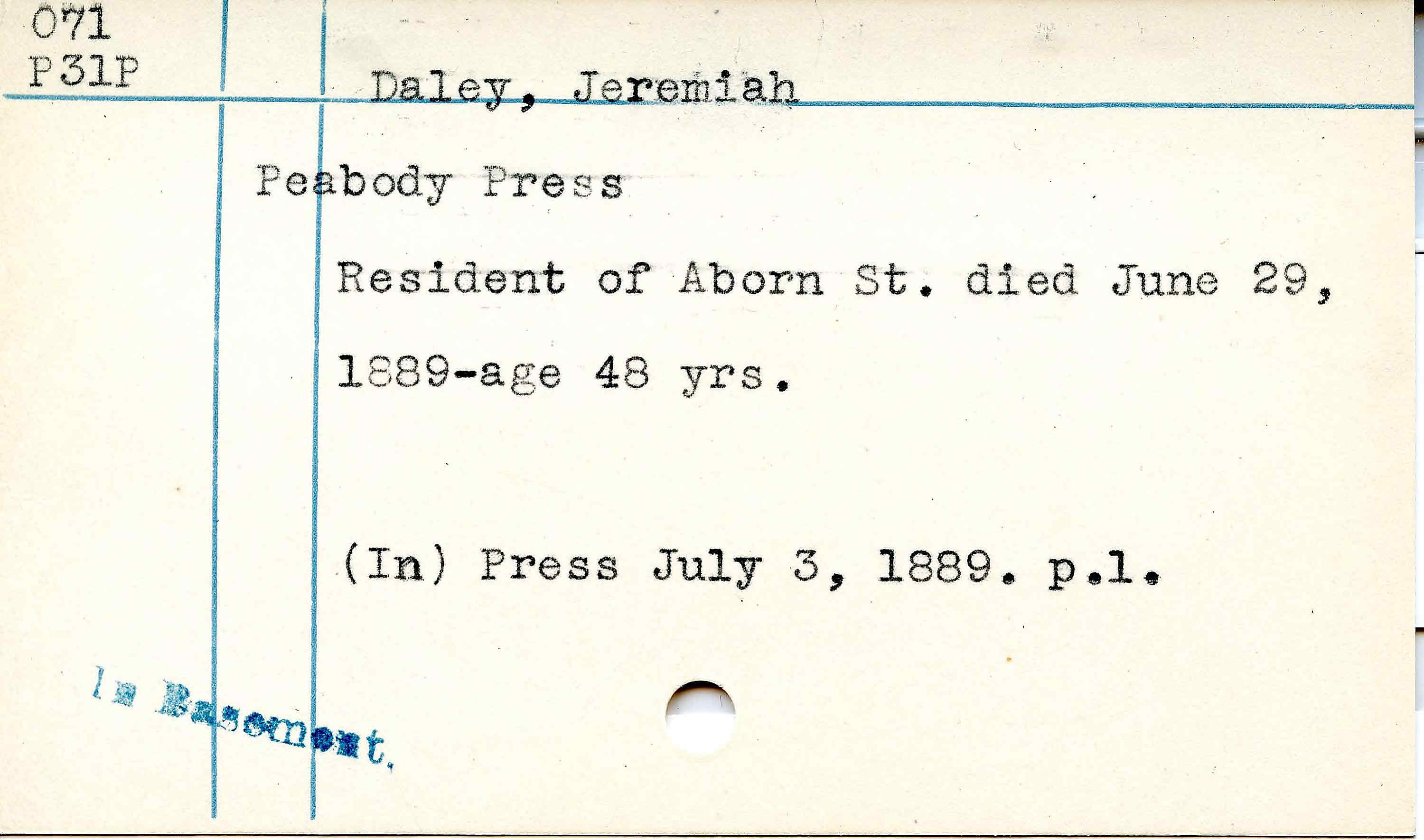
See it in action
Field Models detect and extract specific structural elements from your documents — precisely and at scale.
What do you need to extract?
Researchers, archivists, and institutions worldwide train Field Models on their specific documents. Here are the most common applications.
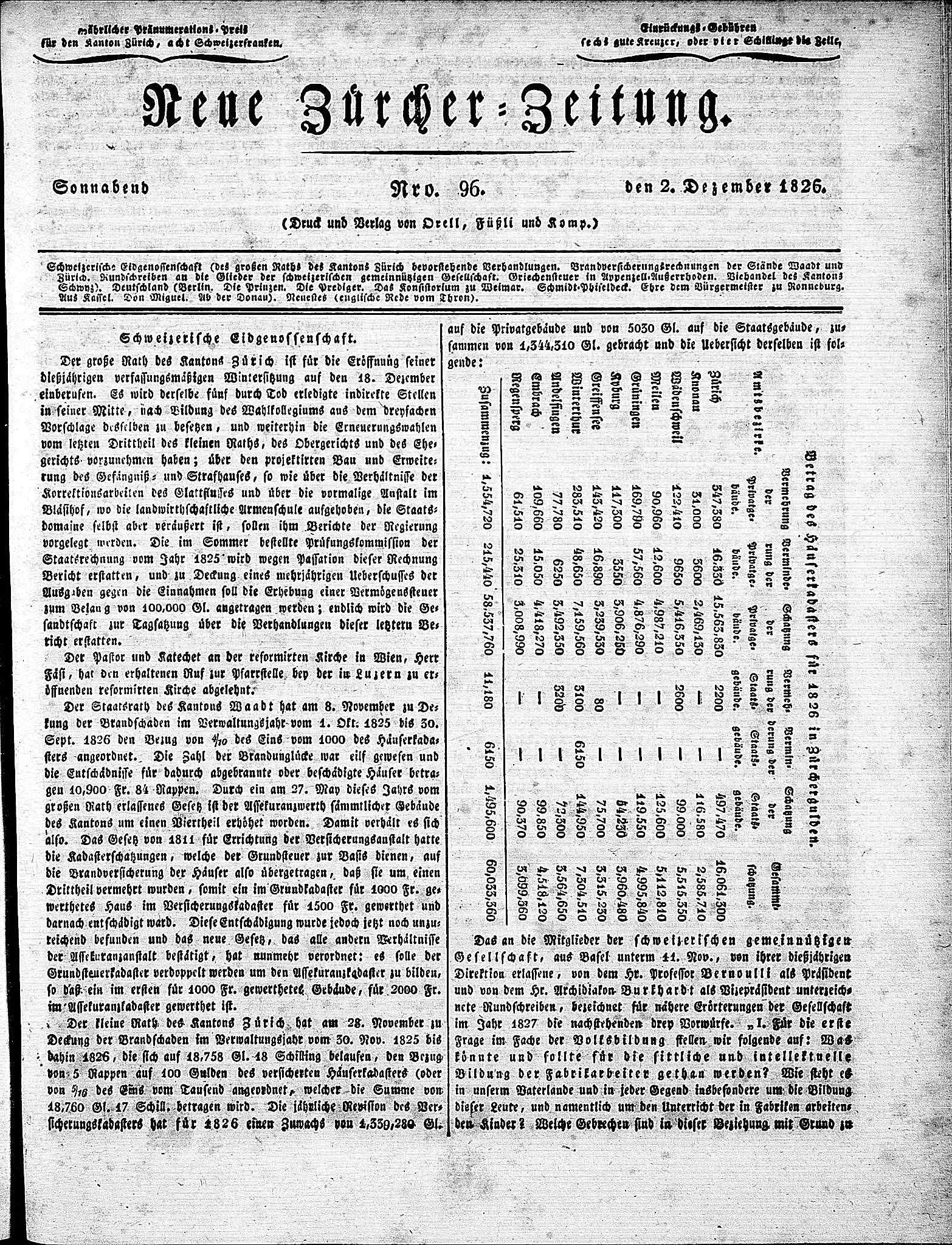
Segment articles, headlines, and ads from newspaper pages
Historical newspapers have complex multi-column layouts with articles wrapping around images and spanning multiple pages. Field Models detect individual articles, headlines, advertisements, bylines, and captions — giving you structured access to content that was previously locked in page images.
Extract structured fields from catalog and index cards
Libraries, museums, and archives hold millions of index cards — catalog cards, accession records, finding aids, patient cards. Each card type has its own layout, but a well-trained Field Model handles the variation and extracts structured data at scale.
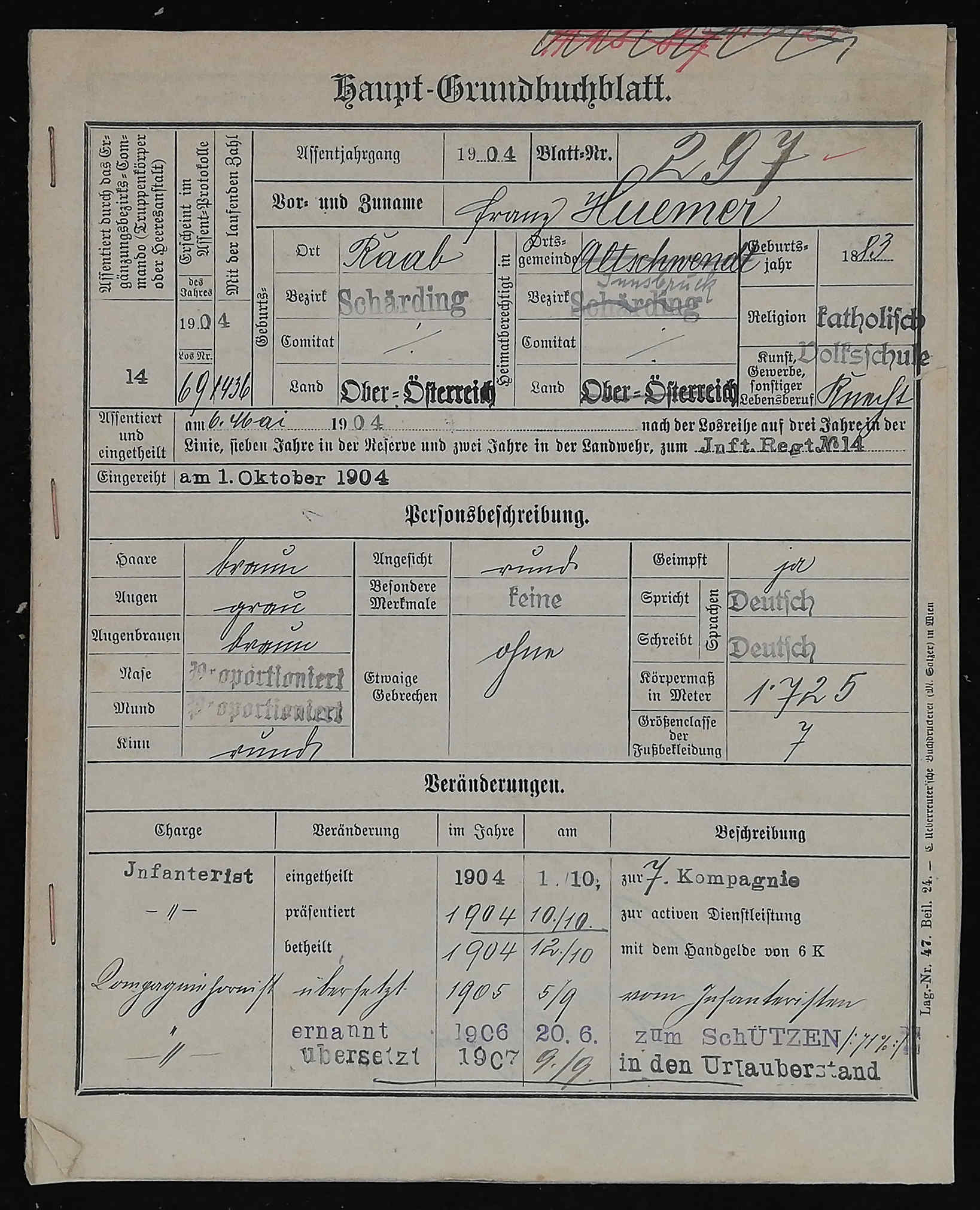
Pull names, dates, and places from handwritten registers
Parish registers, civil records, military muster rolls — the backbone of genealogical and demographic research. Field Models detect structured entries across centuries of evolving record-keeping practices, handling different scribes, formats, and languages.
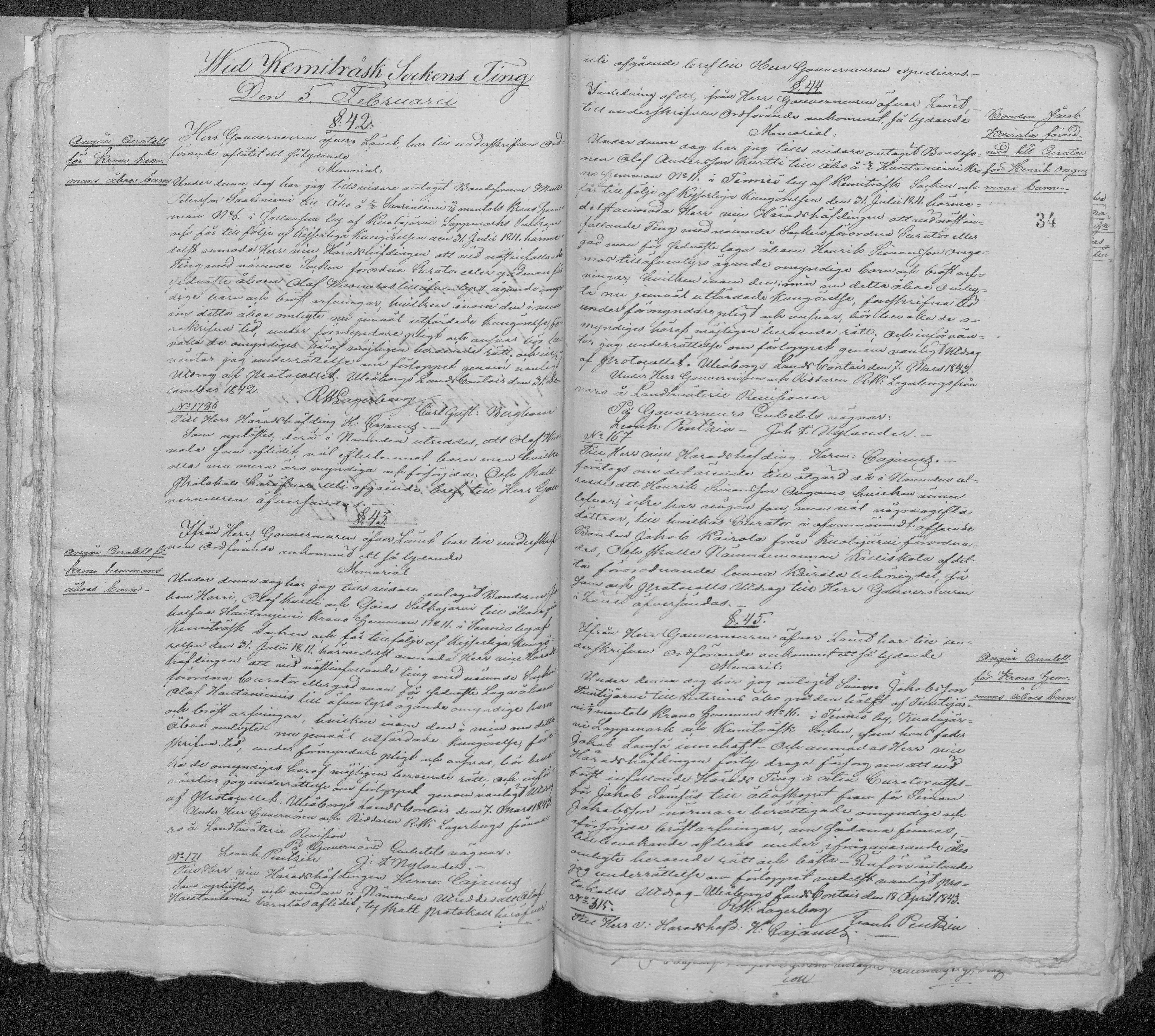
Identify marginalia, paragraphs, and headings in court protocols
Historical court records, government protocols, and official documents contain structured elements like marginalia, numbered paragraphs, headings, and annotations. Field Models detect these structural components across centuries of changing administrative practices.
Separate sender, body, illustrations, and page numbers in correspondence
Personal and official correspondence spans centuries of letter-writing conventions. Field Models detect and separate page numbers, paragraphs, illustrations, and other structural elements — from early modern diplomatic dispatches to 20th-century typed letters.
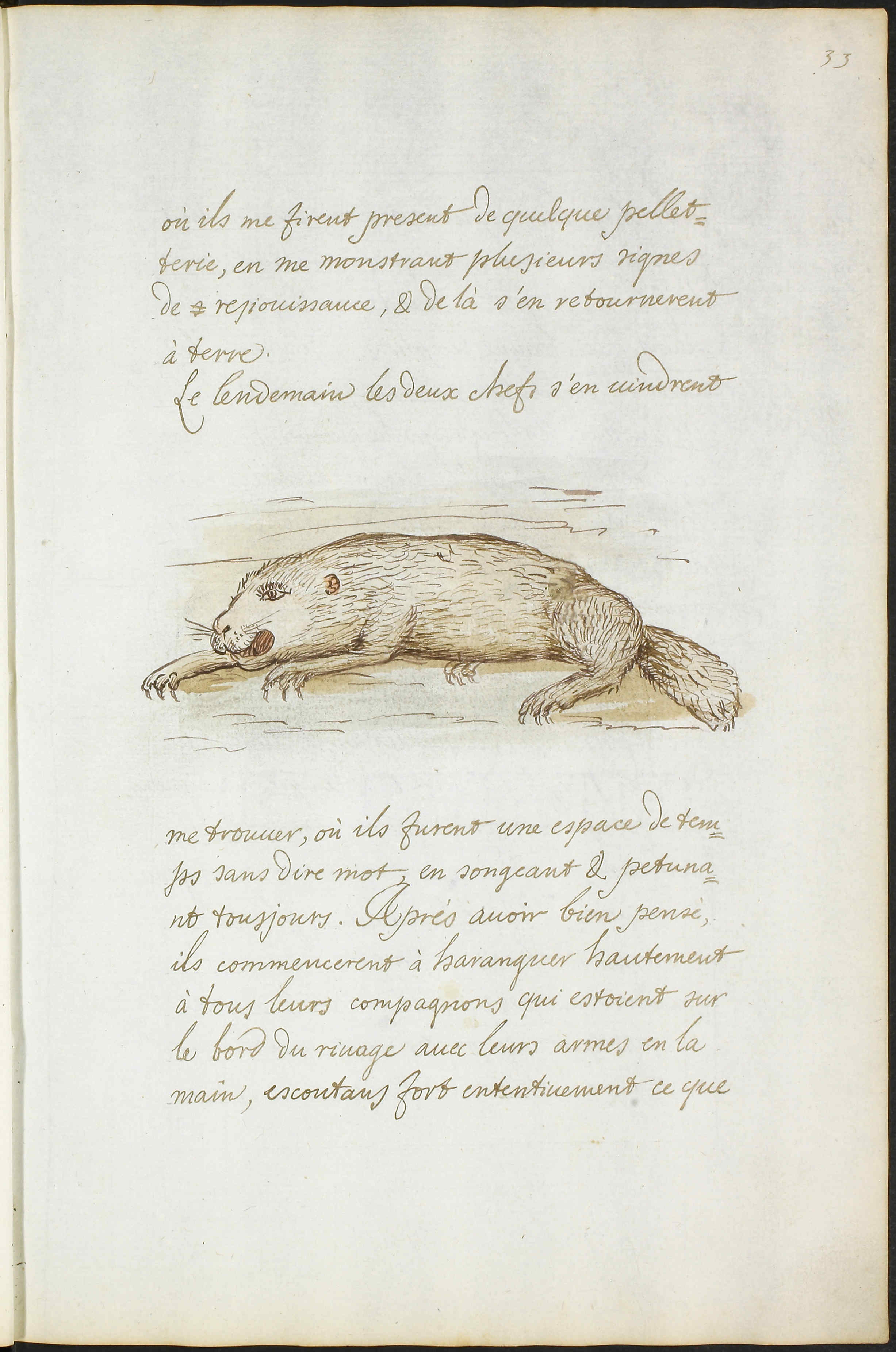
Distinguish body text from marginalia, headings, and footnotes
Medieval manuscripts to modern printed books — Field Models handle multi-column layouts, interlinear glosses, running headers, and complex page structures. Separate body text from marginalia, headings from content, footnotes from main text.
From document images to structured data
Field Models produce structured output that you can export as spreadsheets, import into databases, or publish online.
<PcGts>
  <Page imageFilename="index-card.jpg"
        imageWidth="3000" imageHeight="1770">
    <TextRegion custom="structure {type:shelfmark;}">
      <Coords points="25,0 325,0 325,204 25,204"/>
      <TextLine>
        <TextEquiv>
          <Unicode>O71 P31P</Unicode>
        </TextEquiv>
      </TextLine>
    </TextRegion>
    <TextRegion custom="structure {type:name;}">
      <TextLine>
        <TextEquiv>
          <Unicode>Daley, Jeremiah</Unicode>
        </TextEquiv>
      </TextLine>
    </TextRegion>
    <TextRegion custom="structure {type:newspaper;}">
      <TextLine>
        <TextEquiv>
          <Unicode>Peabody Press</Unicode>
        </TextEquiv>
      </TextLine>
    </TextRegion>
  </Page>
</PcGts>| Page | Shelfmark | Name | Newspaper | Details | Reference |
|---|---|---|---|---|---|
| 1 | O71 P31P | Daley, Jeremiah | Peabody Press | Resident of Aborn St... | July 3, 1889 |
| 2 | O71 P31Q | Davis, Martha | Salem Gazette | Teacher at Essex... | Gazette Aug 12, 1891 |
| 3 | O71 P31R | Dearborn, William | Lynn Record | Merchant on Main... | Record Jan 5, 1887 |
Export your field data in multiple formats
How it works
From raw document images to structured, exportable data in three recognition steps.
Field Recognition
Run your trained Field Model to detect and tag regions on each page. The model draws precise polygons around each field — shelfmarks, names, dates, or any custom tag you defined.
Text Line Detection
Transkribus finds individual text lines within each detected field. Public layout models handle this step automatically — no extra training needed.
Text Recognition
Each text line is transcribed using Transkribus' HTR or OCR models. Export the structured results as spreadsheets, import into databases, or publish via Transkribus Sites.
How to train a Field Model
Field Models are not pre-built — you train them on your specific documents. Here is what that looks like.
Label your fields
Open your documents in Transkribus and draw regions around the fields you want to extract — names, dates, shelfmarks, or any custom category. Each region gets a label so the model knows what to look for.
Train
Once you have annotated around 50 pages, submit them to train your custom Field Model. The model uses transfer learning, so even small training sets produce useful results.
Apply & iterate
Run your trained model on new documents — it automatically detects and tags the fields. Use the results to correct errors, add more training pages, and retrain for even better accuracy.
Start small, iterate, scale
Field Models use transfer learning from millions of processed pages. Start with a manageable training set, use your first model to speed up annotation, then retrain for even better results.
Begin with around 50 annotated pages for simple layouts. Complex documents may benefit from more training data.
Define your fields, annotate pages, click train. No coding, no ML expertise, no cloud infrastructure needed.
Training tips from the community
- Start simple — train on around 50 pages and evaluate. Your first model is often good enough for many use cases.
- Use your model to pre-annotate more pages, correct them, then retrain. Each iteration improves accuracy.
- For complex or variable layouts, aim for 200–500 representative pages across different document styles.
- Export results as spreadsheets where rows are pages and columns are your field tags — ready for database import.
Pixel-level precision
Field Models detect regions as detailed polygons, not simple rectangles — critical for real-world documents with complex layouts.
Traditional bounding boxes
Rigid rectangles that overlap on irregular content. Cannot handle marginalia wrapping around text, stamps overlapping fields, or entries spanning variable-width columns.
Instance segmentation
Pixel-level detection that follows the exact shape of each field. Handles overlapping elements, irregular shapes, and mixed content types. Works on any document, from medieval manuscripts to modern forms.
Start extracting structured data today
Train your first Field Model with a Scholar+ plan. Define your fields, annotate some pages, and your documents become structured data.