Train AI models for your documents
Every collection of historical documents has its own unique handwriting. When public models aren't enough, Transkribus lets you train a custom AI model — tailored to your specific handwriting, language, and document style. No machine learning expertise required.

How model training works
Training a custom model in Transkribus follows a proven, iterative workflow. Each cycle improves your model's accuracy.
Upload your documents
Start by uploading scans of the handwritten or printed documents you want to transcribe. Transkribus accepts JPEG, PNG, PDF, and TIFF. Organize your documents into collections for easy management.
Tip: Start with 25–50 representative pages that cover the range of handwriting styles in your collection.
Text Recognition Models
Train a custom text model with PyLaia

Train models for structured tables
Historical documents are full of tabular data — census records, church registers, ship manifests, accounting ledgers. Table models detect row and column structures and extract cell contents into structured data you can export to Excel, CSV, or XML.
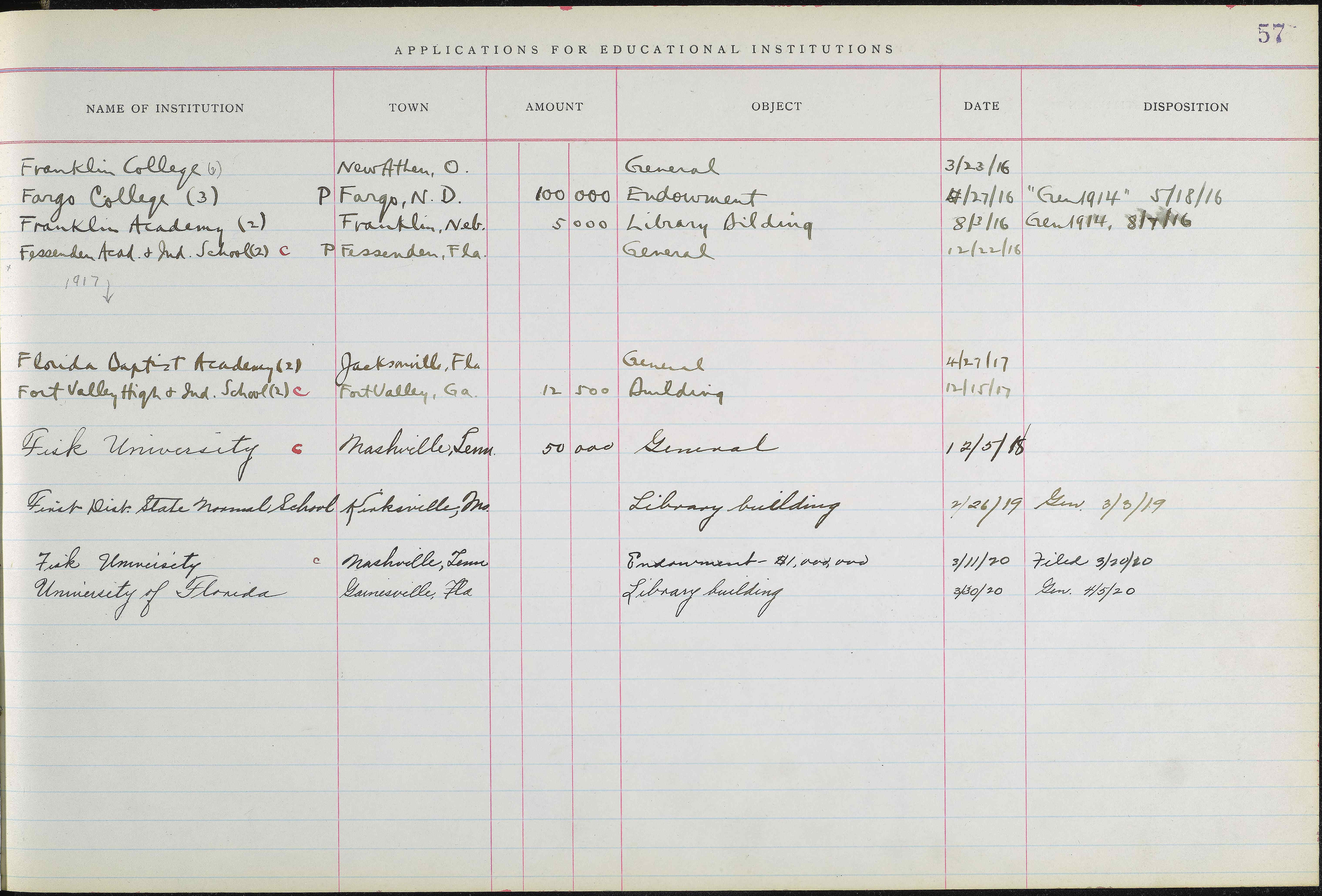
| Institution | Town | Amount | Object | Date | Disposition |
|---|---|---|---|---|---|
| Franklin College (6) | New Athen, O. | General | 3/23/16 | ||
| Fargo College (3) | Fargo, N.D. | 100,000 | Endowment | 4/27/16 | Gen 1914, 5/18/16 |
| Franklin Academy (2) | Franklin, Neb. | 5,000 | Library Building | 8/3/16 | Gen 1914, 8/7/16 |
| Fessenden Acad. & Ind. School | Fessenden, Fla. | General | 12/22/16 | ||
| Ferris Institute (2) | Big Rapids, Mich. | 50,000 | Buildings | 2/12/17 | |
| Findlay College (2) | Findlay, O. | 100,000 | Endowment | 5/23/17 | Gen 1914, 5/28/17 |
| Fairmount College | Wichita, Kan. | 200,000 | Endowment | 6/7/17 | 6/14/17 |
| Franklin College | Franklin, Ind. | 50,000 | General | 9/13/17 | Gen 1914, 9/17/17 |
| Fisk University | Nashville, Tenn. | 1,000,000 | Endowment | 6/14/18 | |
| Friends University | Wichita, Kan. | 200,000 | Endowment | 6/20/18 | Gen 1914, 8/8/18 |
Extract specific fields from forms
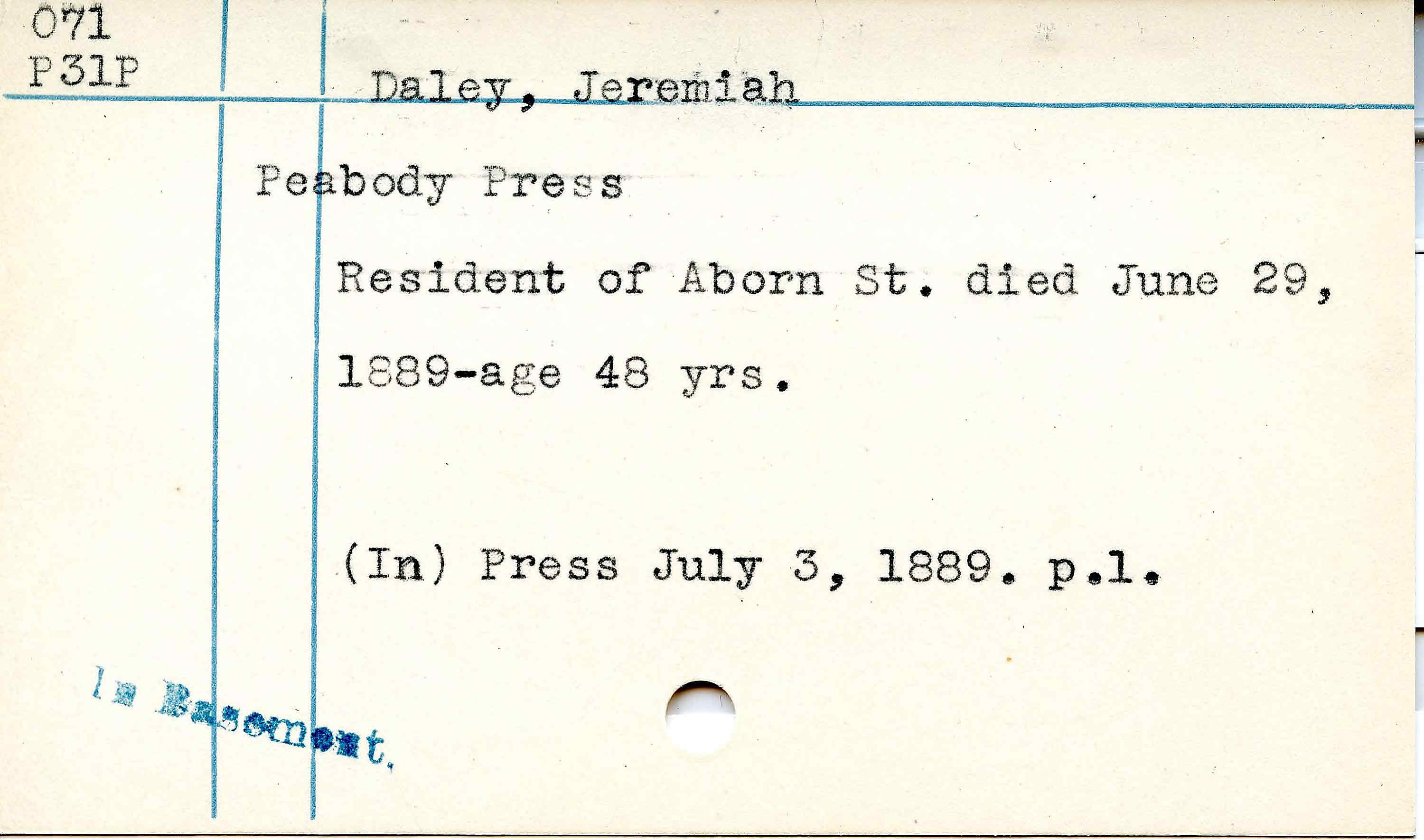
When you need to extract specific data points — names, dates, addresses, amounts — from structured or semi-structured documents, field models locate and read individual fields. Ideal for census forms, registration cards, and administrative records.
Coming Soon
Named Entity Recognition (NER)

Ground Truth Tips
How to produce training data efficiently
The quality and quantity of your Ground Truth directly determines model accuracy. Here are proven strategies to create training data faster.
Run a public model first
Use Text Titan or a language-specific public model for an initial transcription. Correcting is 3–5x faster than transcribing from scratch.
Correct systematically
Work through each page and fix all errors. Pay special attention to unusual characters, abbreviations, and line breaks.
Pick diverse samples
Include pages from different writers, time periods, and document types. Diversity in training data leads to a more robust model.
Train, evaluate, repeat
After your first model, use it to pre-transcribe more pages, correct those, and retrain. Each cycle adds data and improves accuracy.
300+ community models — start without training
Before training your own, check the model catalog. Over 300 models have been shared by the community, covering hundreds of languages and scripts.
Start training your first model
Create a free account, upload your documents, and train a custom AI model — no machine learning background needed.